Hunting Hidden Microphones: Kali Linux and an RTL-SDR into an Anti-Espionage Radar
Hunting Hidden Microphones: Kali Linux and an RTL-SDR into an Anti-Espionage Radar
- por javier
- 26 de Julio de 2026
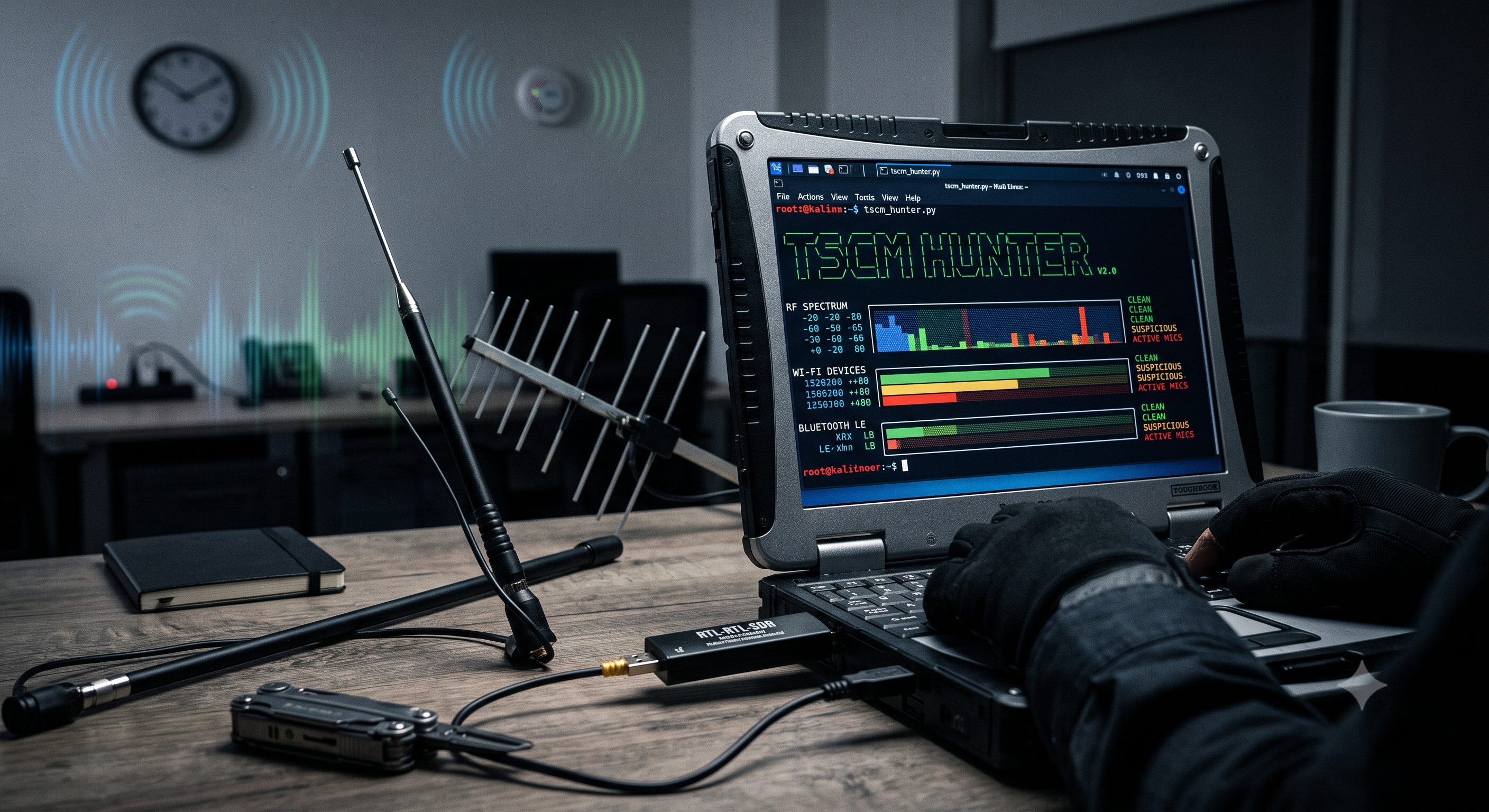
Have you ever had that feeling that someone is listening to you? In the corporate world, industrial espionage is a reality that costs millions every year. The discipline in charge of sweeping for hidden microphones and cameras is called TSCM (Technical Surveillance Counter-Measures). Historically, the equipment to do this cost tens of thousands of dollars. However, thanks to low-cost hardware and Open Source, the rules of the game are changing.
Today we are going to dive into the core of TSCM Hunter V2.0, a Python software designed under the supervision of beta6 from Tux Rincon, which transforms your Kali Linux laptop into a powerful electronic sweeping station. You can check out the source code at the official GitHub repository.
The Hardware: Much more than "Plugging in a USB"
For our script to work its magic, we need to turn the laptop into a hyper-sensitive receiver. The core of our operation is an RTL-SDR. If you are not familiar, it is a modified digital television USB receiver (usually with the RTL2832U chip) which, through software, allows us to listen to almost any radio frequency signal between 24 MHz and 1.7 GHz.
But the SDR is not everything. Modern threats do not only use analog radio. That's why TSCM Hunter leverages your laptop's own antennas:
- Wi-Fi Card in Monitor Mode: To hunt IP cameras that do not broadcast their network name (hidden SSID).
- Bluetooth Adapter (BlueZ daemon): To detect small recording microphones or forgotten wearable devices under the table.
Phase 1: The Hunt for Digital Vectors (Wi-Fi and Bluetooth)
The script doesn't waste time. As soon as you run it (with root permissions, of course), the first order is to launch airmon-ng and hijack your Wi-Fi card. Through the Scapy library, the code injects a secondary thread that starts frantically "hopping" through all 2.4 GHz and 5 GHz channels.
"We are not looking for networks to connect to; we are intercepting raw 'Beacon' and 'Probe Request' packets in the air."
The trick here is not to see how many networks there are, but how strong they are. If the script detects a Wi-Fi or Bluetooth emitter with an RSSI (Received Signal Strength Indicator) higher than -45 dBm, the alarm goes off. Such a high level means, almost certainly, that the emitter is physically in the same room as you.
Phase 2: The Spectrum Sweep (SDR)
This is where the heavy math comes into play. Using numpy and scipy, TSCM Hunter tells the RTL-SDR: "Scan the band from 85 MHz to 110 MHz and give me the raw samples".
The software applies a Fast Fourier Transform (FFT) to calculate the Power Spectral Density. In plain terms: it is looking for sharp peaks in a sea of static noise. If it detects an anomalous radio emission that exceeds the threshold we have set for it (for example, -30 dB), it notes the exact frequency. This is devastating for classic covert FM or UHF microphones.
Phase 3: The Ultimate Test: The Larsen Effect
Suppose the script detects a suspicious peak at 105.4 MHz. Is it a hidden microphone or a distant commercial radio station? TSCM Hunter automates one of the most reliable tests in counter-espionage: Acoustic Coupling (Larsen Effect).
The code tunes into that exact frequency, demodulates the signal (converts it from radio waves to analog audio), and blasts it through your laptop speakers at full volume. If the suspicious signal comes from a hidden microphone in the room, it will pick up the sound from your speakers, transmit it back to the laptop, the laptop will play it louder, and... Beeeep! A sharp, unmistakable beep will fill the room. You have confirmed the threat.
Phase 4: Fine Localization
Knowing there is a mic in the room is only half the job. Now you have to find it. If you accept the prompt in the terminal, the interface switches to an aggressive "Fine Localization" mode.
It's time to unscrew the omnidirectional antenna from your SDR and connect a directional antenna (like a Log-Periodic). The script begins to show you an ASCII progress bar that updates several times per second. You start pointing the antenna at the walls, the ceiling, the potted plants. When you point at the plant in the corner, the bar in the terminal turns bright red and hits the maximum. Bingo!
Mastering the Tool: Parameters and Practical Cases
Although running a simple sudo python3 tscm_hunter.py gets the basic job done, the true power of this suite lies in its flexibility. Imagine you are auditing an office in the city center: the air is saturated with neighbors' Wi-Fi networks and legal radio stations. If you don't adjust the sensitivity, you'll have dozens of "false positives". This is where command-line switches come into play:
- Proximity Scanning (Filtering out neighbors):
Suppose you are going to check a boardroom. You don't care about the router on the floor above; you just want to know if there is an IP camera or Bluetooth mic hidden under the table. To do this, you tighten the thresholds requiring brutal signal strength (e.g. -40 dBm for Wi-Fi/BT and -20 dB for SDR).
Utility: Prevents you from going crazy searching. The alarm will only trigger if the emitter is less than 2-3 meters from your laptop.sudo python3 tscm_hunter.py --twifi -40 --tbt -40 --trf -20 --tcell -25 - "Ghostbuster" Mode (Direct Localization):
Imagine that yesterday you detected a constant anomalous peak in the UHF band, specifically at433.92 MHz. Today you return with your directional antenna. You don't need to do all the Wi-Fi and Bluetooth scanning again; you just want to use the ASCII intensity bar to triangulate that damn microphone. You use the--locateparameter:
Utility: Skips all previous analysis and immediately turns your terminal into a radiofrequency Geiger counter for that exact frequency.sudo python3 tscm_hunter.py -l 433.92 - Full Audit and Report Generation:
Sometimes you need to map the entire electromagnetic spectrum of an industrial warehouse, filtering nothing, and you need it recorded in writing to analyze it later in Excel or deliver it to a client. Combine the-a(All / Show everything without thresholds) parameter with-o(Output file).
Utility: The "paranoid" mode. Collects absolutely every radio station, mobile phone, router, or smart watch for miles around and saves it neatly on your hard drive.sudo python3 tscm_hunter.py -a -o main_warehouse_report.log - Expanding the Horizon (Frequency Range):
By default, the script searches the commercial FM band (85-110 MHz) because amateur microphones usually operate there. But if you suspect more professional equipment, you can order the SDR to sweep police or private UHF bands using-s(Start) and-e(End).sudo python3 tscm_hunter.py -s 400.0 -e 450.0
Conclusion
What used to require equipment packed in armored briefcases now fits in a GitHub repository, a $30 USB dongle, and a bit of cunning with Python. Tools like TSCM Hunter demonstrate the incredible power of Kali Linux when combined with applied technical knowledge and the guidance of experts like the Tux Rincon community.
[WARNING] Legal and Reality Warning
Before you put on your trench coat and sunglasses, a touch of realism is necessary: this software has been documented and developed for strictly educational and research purposes. While it is a fantastic learning tool, a USB dongle does not replace professional non-linear spectrum analyzers and TSCM equipment that cost tens of thousands of dollars. You will encounter false positives (that huge radio peak might just be a misconfigured router, the security guard in the next building, or a TV harmonic).
Furthermore, intercepting wireless traffic and sweeping frequencies is heavily regulated. Always use it on your own premises or in environments where you have express, written authorization. Neither the code developer nor the Tux Rincon community are responsible for the misuse of this information. Knowledge is power, but its application must always be ethical and legal.
blog comments powered by Disqus